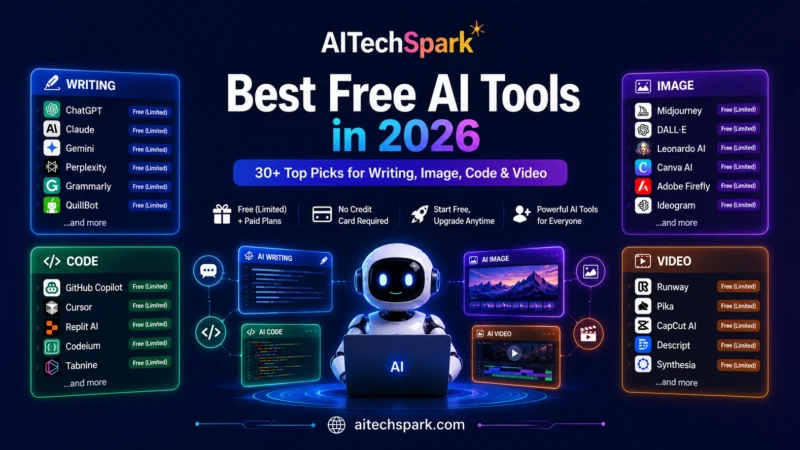
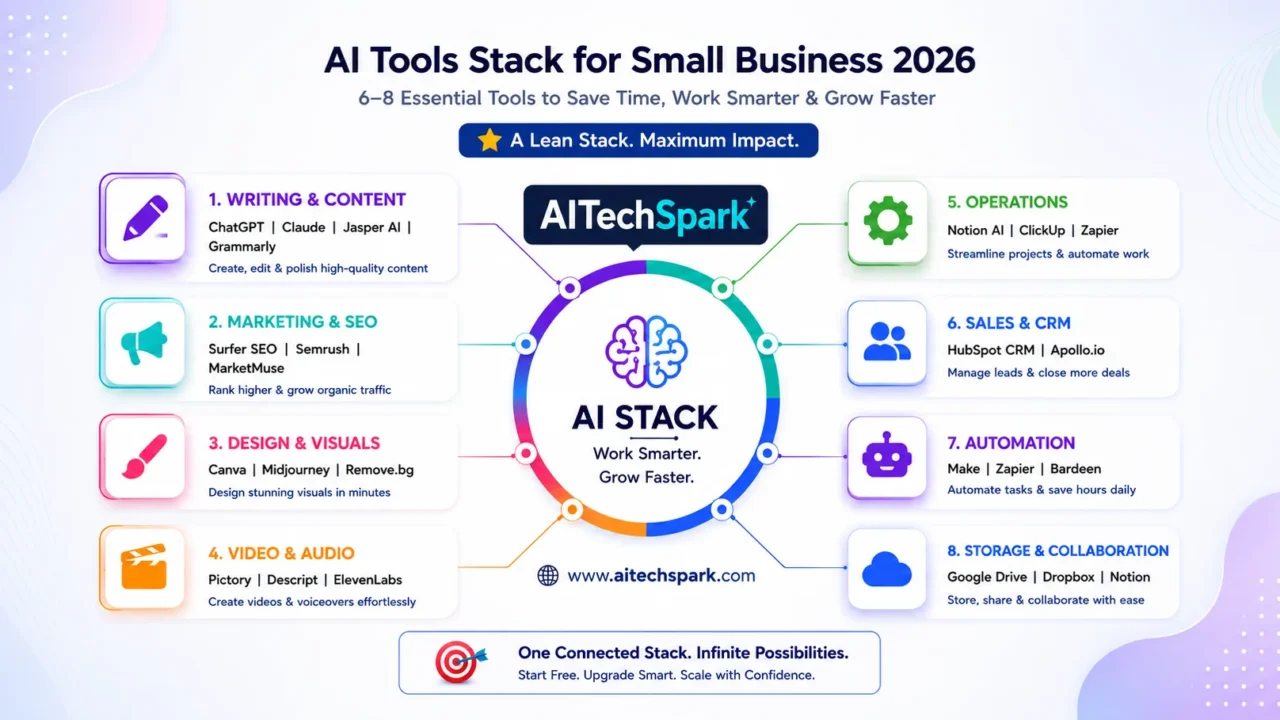
Most small businesses don’t fail at AI because they pick the wrong tool — they fail because they pick thirty of them. A trial here, a $20 subscription there, and within a quarter you’re paying for overlapping tools nobody fully uses. This guide takes the opposite approach. Instead of a ranked list, it gives you a stack: a lean set of 6–8 tools organized around the jobs a small business, content creator, or marketer actually needs done — writing, marketing, design, video, operations, sales, and the automation that ties them together. You’ll get a concrete free starter stack, the paid upgrades worth making later, and a 30-day rollout plan so you’re not staring at a blank dashboard. The principle throughout: a small connected stack you use daily beats a sprawl of subscriptions you forget about. If you want the broadest free options first, start with our guide to the best free AI tools in 2026.
Writing & Content
This is where most owners start, and for good reason — it touches everything from emails to product pages. The trick with AI tools for small business 2026 in this category is treating the assistant like a junior writer who needs your context, not a vending machine.
ChatGPT
What it does: ChatGPT is the all-purpose assistant for drafting, editing, summarizing, and brainstorming. Cost: usable free tier; Plus around $20/month [VERIFY: current Plus price and free-tier limits]. How to use it well: before asking for anything, paste your three best-performing emails or posts and say “match this voice.” Generic prompts produce generic output; feeding real examples is the single biggest quality lever. Best for: day-to-day writing and quick research. Limitation: it states wrong facts confidently, so verify anything specific.
Claude
What it does: Claude is the assistant most writers prefer for long-form and nuanced editing. Cost: free tier (Sonnet 4.6); Pro around $20/month [VERIFY: current free model and Pro price]. How to use it well: paste a long messy document — a transcript, a brief, a competitor’s page — and ask it to restructure or extract the key points. It handles length and tone better than most. Best for: articles, proposals, and reworking long material. Limitation: no native image generation, and free limits are tight during peak hours.
Jasper AI
What it does: Jasper is a marketing-focused writer with brand-voice controls and campaign templates. Cost: paid, entry plan roughly $39–49/month; free trial only, no permanent free tier [VERIFY: current entry price and trial length]. How to use it well: set up a Brand Voice once from your existing copy, then use templates for repetitive formats (product descriptions, ad variants) rather than long articles. Best for: marketing teams producing high volumes of on-brand copy. Limitation: overkill — and overpriced — if a general assistant already covers your needs.
Grammarly
What it does: Grammarly checks grammar, clarity, and tone, with generative rewrites layered on. Cost: genuine free tier; Premium around $12/month [VERIFY: current Premium price and free generative allowance]. How to use it well: let it run as a browser extension so it polishes everything you send — emails, forms, social replies — without changing your workflow. Best for: catching errors before clients and customers see them. Limitation: full rewrites and the best suggestions sit behind Premium.
| Tool | Cost (free tier or entry price) | Best for | Sign-up needed? |
|---|---|---|---|
| ChatGPT | Free; Plus ~$20/mo [VERIFY] | All-purpose writing | Yes (no card) |
| Claude | Free; Pro ~$20/mo [VERIFY] | Long-form & editing | Yes (no card) |
| Jasper AI | Trial only; from ~$39/mo [VERIFY] | High-volume brand copy | Yes (card for trial) |
| Grammarly | Free; Premium ~$12/mo [VERIFY] | Polishing everything | Yes (no card) |
Marketing & SEO
The job here is getting found and getting clicked. These are the AI marketing tools for small business that move the needle, but most are paid — the value is in the data behind them, which is expensive to maintain.
Surfer SEO
What it does: Surfer SEO analyzes top-ranking pages and tells you exactly what to cover to compete. Cost: paid, entry plan roughly $79/month; no free tier [VERIFY: current entry plan name and price]. How to use it well: write the article first in your own voice, then run it through Surfer’s editor to find genuine gaps — don’t let the score dictate robotic keyword stuffing. Best for: publishers and marketers serious about ranking. Limitation: the entry price is steep for occasional use.
Semrush
What it does: Semrush is the broad SEO and competitor-research suite — keywords, backlinks, rank tracking. Cost: limited free account; Pro around $139/month [VERIFY: current Pro price]. How to use it well: start with the free account purely to pull your competitors’ top keywords and content gaps; that alone can shape a quarter of content without paying. Best for: competitive research and ongoing SEO. Limitation: the full suite is expensive and overbuilt for a one-person shop.
Frase
What it does: Frase combines SEO content briefs with AI writing at a far lower price than the big suites. Cost: paid, from roughly $15–45/month [VERIFY: current entry plan and price]. How to use it well: use it to generate a research-backed brief and outline, then write the draft yourself or in your main assistant. Best for: solo marketers who want SEO structure cheaply. Limitation: its raw writing quality trails dedicated assistants.
AdCreative.ai
What it does: AdCreative.ai generates ad visuals and copy variants tuned for conversion. Cost: paid; free trial, then credit-based plans [VERIFY: current entry price and whether a free tier exists]. How to use it well: feed it your brand colors and a winning ad, then generate a batch of variants to A/B test rather than designing each by hand. Best for: running paid social at volume. Limitation: credits disappear fast, and output still needs a human eye before it goes live.
| Tool | Cost (free tier or entry price) | Best for | Sign-up needed? |
|---|---|---|---|
| Surfer SEO | From ~$79/mo, no free tier [VERIFY] | Ranking content | Yes (paid) |
| Semrush | Limited free; Pro ~$139/mo [VERIFY] | Competitor research | Yes (no card) |
| Frase | From ~$15/mo [VERIFY] | Cheap SEO briefs | Yes (paid) |
| AdCreative.ai | Trial; credit plans [VERIFY] | Paid-social creative | Yes (card for trial) |
Design & Visual Content
You no longer need a designer for everyday visuals. These AI design tools cover social graphics, decks, and brand assets — and one of them is the backbone of almost every small-business stack.
Canva (Magic Studio)
What it does: Canva is the all-in-one design editor with AI generation, background removal, and brand kits built in. Cost: genuinely useful free tier; Pro around $15/month, or about $10/month billed annually [VERIFY: current Pro price and free AI-credit allowance]. How to use it well: build your Brand Kit first (logo, colors, fonts), then templatize your three most-used formats so every future post is a two-minute edit, not a fresh design. Best for: social graphics, thumbnails, and decks without a designer. Limitation: AI image credits are pooled and run out mid-month on heavy use.
Gamma
What it does: Gamma turns a prompt or outline into a polished presentation, webpage, or document. Cost: free tier with a credit allowance; paid from roughly $10/month [VERIFY: current free credits and entry price]. How to use it well: paste your raw talking points and let it build the deck structure, then refine — far faster than starting in slides. Best for: pitch decks and client proposals on short notice. Limitation: designs can look templated if you don’t customize.
Ideogram
What it does: Ideogram is the image generator that reliably renders readable text — logos, posters, quote graphics. Cost: free slow-queue tier; paid from around $8/month [VERIFY: current free allowance and entry price]. How to use it well: reach for it specifically when an image needs words baked in, where general generators garble typography. Best for: social graphics and signage with text. Limitation: the free queue is slow, and non-text photorealism isn’t its strength. For commercial-safe imagery, pair with Adobe Firefly.
| Tool | Cost (free tier or entry price) | Best for | Sign-up needed? |
|---|---|---|---|
| Canva | Free; Pro ~$15/mo (~$10 annual) [VERIFY] | All everyday design | Yes (no card) |
| Gamma | Free credits; from ~$10/mo [VERIFY] | Decks & proposals | Yes (no card) |
| Ideogram | Free slow queue; from ~$8/mo [VERIFY] | Text-in-image graphics | Yes (no card) |
Video & Audio
For content creators especially, video is where reach lives — and AI has collapsed the production time. These video and audio tools turn one recording into a week of content.
Descript
What it does: Descript edits video and podcasts by editing the transcript — delete a word, delete the footage. Cost: free tier; paid from roughly $24/month [VERIFY: current entry plan and price]. How to use it well: record long, then cut filler words and “ums” in one click and export clips — it turns a rambling recording into a tight piece in minutes. Best for: podcasters and talking-head creators. Limitation: complex motion-graphics work still needs a real editor.
OpusClip
What it does: OpusClip auto-finds the best moments in a long video and cuts them into captioned shorts. Cost: free tier with watermark/credits; paid from around $15/month [VERIFY: current free limits and entry price]. How to use it well: feed it one long YouTube video or webinar and let it generate a batch of vertical clips for Reels, Shorts, and TikTok in a single pass. Best for: repurposing long video into short-form at scale. Limitation: its “virality” picks need human review before posting.
ElevenLabs
What it does: ElevenLabs produces natural AI voiceover and voice cloning. Cost: free monthly character allowance; paid from around $5/month [VERIFY: current free character cap and entry price]. How to use it well: use it for consistent narration across a video series so you don’t re-record, but disclose AI voice where your audience expects you. Best for: faceless channels and narrated explainers. Limitation: commercial use and attribution rules are limited on the free plan.
| Tool | Cost (free tier or entry price) | Best for | Sign-up needed? |
|---|---|---|---|
| Descript | Free; from ~$24/mo [VERIFY] | Podcast/video editing | Yes (no card) |
| OpusClip | Free (watermark); from ~$15/mo [VERIFY] | Long-to-short repurposing | Yes (no card) |
| ElevenLabs | Free chars; from ~$5/mo [VERIFY] | AI voiceover | Yes (no card) |
Productivity & Operations
This is the quiet category that pays for itself — the AI productivity tools that capture knowledge and run your day so you’re not the bottleneck.
Notion AI
What it does: Notion is an all-in-one workspace for docs, wikis, and databases, with AI search and writing on top. Cost: free workspace; full Notion AI now requires the Business plan at roughly $20/user/month billed annually — Free and Plus only get a limited AI trial [VERIFY: current Business price and AI access]. How to use it well: put your SOPs, briefs, and notes in Notion, then use AI search to answer “how do we do X?” instead of digging. Best for: a single source of truth for a small team. Limitation: the AI pricing changed in 2026 — full features are gated behind Business, so price it before assuming the free plan covers AI.
ClickUp Brain
What it does: ClickUp Brain adds AI to task and project management — summaries, status updates, and task generation. Cost: ClickUp has a free tier; Brain is an add-on of roughly $7/user/month or bundled in paid plans [VERIFY: current Brain pricing]. How to use it well: let it write project updates and summarize comment threads so you stop manually reporting status. Best for: teams that live in tasks and timelines. Limitation: it’s strongest for project work, weaker as a knowledge base than Notion.
Otter.ai / Fireflies.ai
What it does: Otter and Fireflies join your meetings, transcribe them, and produce summaries and action items. Cost: both have free tiers with monthly limits; paid from roughly $17–19/month [VERIFY: current free minutes and entry prices]. How to use it well: let one of them auto-join calls, then pull action items straight into your task tool — never take manual notes again. Best for: client calls and team meetings. Limitation: accuracy drops with heavy accents, crosstalk, and jargon.
| Tool | Cost (free tier or entry price) | Best for | Sign-up needed? |
|---|---|---|---|
| Notion AI | Free workspace; AI needs Business ~$20/user/mo [VERIFY] | Single source of truth | Yes (no card) |
| ClickUp Brain | Free ClickUp; Brain ~$7/user/mo [VERIFY] | Project management | Yes (no card) |
| Otter / Fireflies | Free tiers; from ~$17/mo [VERIFY] | Meeting notes | Yes (no card) |
Sales, CRM & Customer Communication
For owners and marketers chasing revenue, these AI business and sales tools handle the follow-up and front-line replies that usually fall through the cracks.
HubSpot AI
What it does: HubSpot AI layers content drafting, email, and forecasting onto a CRM. Cost: genuinely free CRM tier; paid Starter tiers scale up from there [VERIFY: current free CRM limits and Starter price]. How to use it well: start on the free CRM to centralize contacts and deals, then use AI to draft follow-up emails from the contact’s history. Best for: small businesses formalizing their sales process. Limitation: costs climb quickly as you add marketing and service hubs.
Clay
What it does: Clay enriches lead lists and automates research-heavy prospecting. Cost: free tier with credits; paid from roughly $149/month [VERIFY: current free credits and entry price]. How to use it well: use it to enrich a raw list with company data and personalized openers, instead of researching each prospect by hand. Best for: outbound sales and lead-gen. Limitation: it’s powerful but has a real learning curve and gets pricey at volume.
Lavender
What it does: Lavender coaches your sales emails in real time for clarity and reply rates. Cost: free tier; paid plans above it [VERIFY: current free limits and entry price]. How to use it well: let it score and tighten cold emails before you hit send — short, specific emails outperform long pitches. Best for: founders and reps doing their own outreach. Limitation: it improves wording, not targeting — a bad list still fails.
| Tool | Cost (free tier or entry price) | Best for | Sign-up needed? |
|---|---|---|---|
| HubSpot AI | Free CRM; paid Starter up [VERIFY] | Sales process + CRM | Yes (no card) |
| Clay | Free credits; from ~$149/mo [VERIFY] | Lead enrichment | Yes (no card) |
| Lavender | Free tier; paid above [VERIFY] | Sales-email coaching | Yes (no card) |
Automation: The Glue That Holds the Stack Together
This is what turns a pile of subscriptions into an actual system. Automation is how you get AI tools to automate small business tasks without writing code — and it’s the difference between tools that sit in tabs and tools that work while you sleep.
Zapier
What it does: Zapier connects 8,000+ apps so an action in one triggers an action in another. Cost: free plan with 100 tasks/month and two-step workflows; Professional around $29.99/month for 750 tasks [VERIFY: current free task cap and Professional price]. How to use it well: automate one painful handoff first — for example, new form submission → add to CRM → notify you in Slack — then expand once you trust it. Best for: non-technical owners connecting the tools they already use. Limitation: the free 100-task cap is a demo, not a workflow; costs rise as task volume grows.
Make
What it does: Make is a visual automation builder that’s typically far cheaper per action than Zapier. Cost: free tier with a monthly operations allowance; paid from roughly $9–10/month [VERIFY: current free operations and entry price]. How to use it well: move here once your automations get multi-step or high-volume — the visual canvas makes complex flows easier to see and the cost-per-action is lower. Best for: heavier or branching automations on a budget. Limitation: steeper learning curve than Zapier’s plain-English builder.
| Tool | Cost (free tier or entry price) | Best for | Sign-up needed? |
|---|---|---|---|
| Zapier | Free (100 tasks/mo); Pro ~$29.99/mo [VERIFY] | Easy app-to-app automation | Yes (no card) |
| Make | Free ops tier; from ~$9/mo [VERIFY] | Cheaper, complex flows | Yes (no card) |
Your Starter Stack (Free / Low-Cost)
If you’re starting from zero, here is a stack that costs little or nothing and covers the essentials: ChatGPT or Claude (writing and thinking), Canva (all visuals), Gamma (decks and proposals), Notion (your single source of truth), Grammarly (polish), Otter (meeting notes), and Zapier (the glue). They connect simply: your assistant drafts, Canva designs, Notion stores and organizes, Otter captures meetings into Notion, and Zapier passes data between them so nothing is manual. Most of this runs on free tiers, with maybe one paid seat (Canva Pro) once you’re designing weekly.
When to Scale Up
Upgrade only when a free limit actually blocks you — most owners never hit some of them. The paid moves worth making, roughly in order: Surfer SEO or Frase once content is a real channel; HubSpot paid tiers when your sales pipeline outgrows a spreadsheet; Descript and OpusClip when video becomes a habit; Notion Business or ClickUp Brain when the team needs shared AI; and Make when your Zapier task count starts costing more than the work it saves.
A 30-Day Rollout Roadmap
The mistake is adopting everything at once. Here’s a paced plan that builds a working stack without overwhelming you.
Days 1–3: Pick one assistant and give it your voice. Choose ChatGPT or Claude. Create one document — your “style guide” — with your tone, audience, and three sample pieces of your best writing. Paste it into the start of every prompt. This one habit separates useful output from generic AI sludge.
Days 4–7: Lock your visual identity. In Canva, build a Brand Kit (logo, colors, fonts) and templatize your three most-used formats — say, an Instagram post, a blog header, and a quote graphic. From here, every visual is a quick edit, not a blank canvas.
Week 2: Set up your content engine. Pick one cornerstone topic. Research it with Frase or your assistant, write it in your voice, and (if SEO is a channel) refine with Surfer. If you make video, record once and use OpusClip or Descript to spin out short clips. Goal: one strong asset, repurposed several ways.
Week 3: Centralize knowledge and meetings. Move your SOPs, briefs, and notes into Notion so there’s one place to look. Connect Otter or Fireflies to auto-capture calls and drop action items where you’ll see them. Stop taking manual notes.
Week 4: Automate one painful handoff. Build a single Zapier workflow that removes a recurring chore — new lead → CRM → Slack alert is the classic. Measure the time it saves over the week. If it works, automate the next one. Resist the urge to automate everything at once; one reliable zap beats five half-broken ones.
How We Picked These
We don’t claim to have lab-tested every tool under controlled conditions. Each one here is evaluated through our editorial assessment, which scores tools across nine fixed dimensions — capability, ease of use, value, reliability, and others — alongside a demand signal drawn from real reader interest, recomputed periodically. For this guide we layered on a practical filter: a tool only earned a place if it does a clear job in a small-business workflow and connects sensibly to the rest of the stack. Because pricing and free-tier limits shift almost monthly, we’ve flagged every specific figure so you can confirm the current number before relying on it. When something here disagrees with a tool’s own pricing page, the pricing page wins.
Frequently Asked Questions
How much does an AI stack cost a small business?
You can run a capable starter stack for $0 to about $15/month using free tiers plus one Canva Pro seat. A growing business with paid SEO, CRM, and automation typically lands somewhere between $100 and $300/month, depending on volume. The cost discipline that matters most: cancel anything you haven’t opened in 30 days.
Are free AI tools enough for a small business?
For most early-stage businesses, yes — the free tiers of an assistant, Canva, Notion, and a meeting tool cover the essentials. You’ll know it’s time to pay when a specific limit blocks real work: you keep hitting a task cap, need brand controls, or require features that are gated. Pay for the one tool you reach for daily before anything else.
Is my business data safe in these tools?
Treat free consumer tiers as the least private option. Several assistants may use free-tier conversations to improve their models unless you opt out in settings, and some tools default to public outputs. For anything involving customer data, financials, or contracts, check the privacy terms, opt out of training where possible, and favor business plans, which generally offer stronger data protections.
How do I start if I’m not technical?
Start with one assistant and one job — drafting emails or social posts — and use it daily for a week before adding anything. The 30-day roadmap above is built for non-technical owners: each step adds one tool only after the last one is a habit. The plain-English builders in Zapier and Canva mean you never touch code.
Won’t these tools overlap and waste money?
They will if you collect tools instead of building a stack. That’s the entire point of organizing by job-to-be-done: one tool per job, chosen to connect with the others. Before adding anything new, ask whether a tool you already pay for does the job adequately — usually it does. Overlap, not price, is what quietly drains a small-business software budget.