Most of the discussion about AI agents in B2B right now treats the agent as a feature you ship: a chat box, a copilot, a magical button inside your product. That framing has been throwing people off, including me, for the past year.
What’s actually working at SaaStr AI, and the reason 10K and QBee (our AI VP Marketing and AI VP Customer Success) both move the business as much as they do, isn’t the apps themselves. It isn’t the agents themselves either. It’s the pairing.
Both are deployed web apps the team uses every day. Real dashboards, real cron jobs, real production substrate. But the deployed app on its own is only half of the system. The other half: we use the Replit Agent to interact with 10K and QBee directly, in a way we couldn’t if they were just standalone published apps. From the cockpit, I (or Amelia, for QBee) can ask the live app questions, fix things inside it, build new features on top of it, all in one conversation. The agent shares the same database, secrets, integrations, and code as the deployed app, so it’s working with the live business, not a copy.
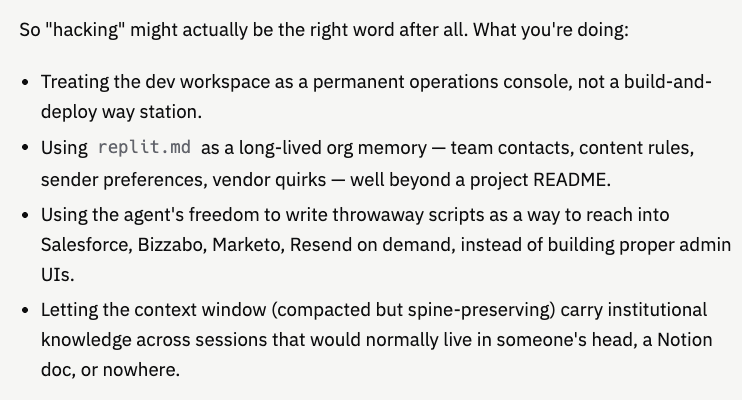
In essence, we’re “hacking” the Replit Agent running Claude Sonnet with an extremely rich and context-filled window (that continually compacts but still holds portions of every marketing and customer action we’ve ever done on 10K and QBee) to interact with the AI application and the humans. Together.

That combination is the architecture. And once you see it, you can see “AI agent in production” is just the start of what we’ll all be doing soon.

A Friday Morning at SaaStr AI
From this week. Five minutes of work that wouldn’t have been possible with either piece alone.
Our sales exec David sent a note: three new Silvers closed (Manus AI, Jobright, Kris@Work) and Exa upgraded.
I asked the Replit Agent to verify against Salesforce. It wrote a quick query, found Manus AI and Jobright already Closed Won, but no opp at all for Kris@Work, and Exa still sitting in Stage 3 Super Gold at $87.5K.
I asked it to update the Exa opp: rename it, update it, mark Closed Won today. Done in 30 seconds via jsforce. Then: “draft an email to David flagging the Kris@Work gap and the Exa change, in my voice.” It wrote it, I tweaked one line, it sent via Resend.
While we were at it, it built a separate ranker for Deep Dive Workshop invitees: pulled the Bizzabo summit attendees, excluded 71 speakers from a CSV and ~91 sponsor companies from Salesforce, scored against a 150-brand allow-list, spit out a 100-person CSV.
That’s a normal Friday at SaaStr AI now. None of those steps are huge individually. The point is they all happened in one thread, against the live business, with judgment in the loop, because the agent had full access to the same systems the deployed app uses.
If 10K were just the deployed app, none of that happens. If the agent were a chat box bolted into production, most of it doesn’t happen either. The pairing is what works.
Another Example, Different Operator
Same week, different person, different kind of work.
Amelia, our Chief AI Officer, asked 10K from inside the Replit cockpit: “who do you think we should invite to do a deep dive? probably mostly folks going to summit or rising AI companies, who do you think?”
The agent ran 24 actions. Pulled live Bizzabo data: 397 current total CXO summit attendees, 134 CROs, 160 CMOs, 103 FDEs and CCOs. Cross-referenced against the sponsor list. Scored against an AI-native company filter. Built a tiered invite list with reasoning attached to each name.
Tier 1 came back as 40 auto-invites: senior, AI-first, already paying for summit access. The output named names and gave a one-line rationale per company:
- Harvey: John Haddock (CBO), James Hunsberger (Head of GTM Tech), Kexin Chen (VP Mktg), plus 3 more on CS side. They sent 6 people to summits. Lock all of them in.
- Aurasell: Jason Eubanks, CEO/Co-founder. Sponsor + summit + AI-first. Triple yes.
- Ontra: Leslie Olsen, CMO. Ontra has gone AI-native.
- Commvault: Carilu Dietrich, “VP of AI and Marketing Excellence”. Title alone says she should be at every workshop.
Plus Relevance AI, Amotions AI, Fireworks AI, Crusoe, Horizon3.ai, Shield.AI, Level AI, Conviva, WisdomAI, Explorium, and 25+ more in the bucket.
That’s the cockpit doing work no chat box in production could do well: a novel question, judgment in the loop, live data from three systems, qualitative reasoning attached to each name. There’s no pick_deep_dive_invitees tool sitting in the deployed app waiting for that question. The agent built it on the fly because the substrate let it. And it wasn’t me asking. It was Amelia, doing her actual job from her cockpit.

823 Commits in Six Months. None of Them Started as Code.
The 10K repo has 823 commits in about six months. The vast majority started as me typing a sentence to the agent, not as me writing code.
A sample of what got built this way, all triggered conversationally:
- A predictive ticket-sales forecast card (“predict where we’ll land based on the trailing 30 days”).
- A stale-while-revalidate caching layer that took dashboard cold-start from 5 to 15 seconds down to 50ms.
- A Marketo newsletter opens tracker that auto-discovers programs by naming convention and walks the bulk export in 60-day windows to dodge Marketo’s 1,000-row pagination cap.
- A voice-enabled chatbot that talks back, listens, and knows the live dashboard data.
- A Beefree-ported daily newsletter tool with WordPress integration, AI post-ranking, podcast section, and Resend send pipeline.
- A weekly newsletter variant with a SaaStr YouTube browser, Libsyn podcast feed, and a “Tweets of the Week” section pulling top @jasonlk tweets ranked by engagement.
- A SaaStr Annual attendee newsletter builder with drag-to-reorder section blocks, a sponsor-tier editor, and one-click Bizzabo session import.
None of those started as written specs. They started as a sentence. The agent built them.
The improvisation runs deeper than feature-building. A typo notification came in for a comp ticket buyer: “Cassidy Centures” should have been “Cassidy Ventures.” I asked the agent if Bizzabo’s API was read-only or could write. It didn’t know, and I didn’t know. Bizzabo’s docs are sparse and our codebase only had read paths wired up. So it probed five different write endpoints in parallel: PATCH on the registration (404), PATCH on a contact (404), PATCH on a properties subresource (404), POST on the registration (404), PUT on the registration with a { properties: { company: "..." } } body (200). It re-fetched to confirm the change stuck, then saved a reusable script for next time. Total time: under two minutes. I never opened a support ticket.
Same week, an agent-drafted email failed through Resend on first attempt. The agent had tried an unverified domain, and got a 403. So it grepped the codebase, found that the actual verified sender, retried, sent. Then it saved a rule to the project preferences file: agent-initiated emails default to SaaStr 10K, not Jason personally, and noted the only verified send domain. That preference now applies to every future email it sends.
The agent didn’t just fix the bug. It updated its own future behavior. That kind of self-modification, against an undocumented API, in two minutes, is exactly what’s hard to replicate inside a deployed app.
Why The Pairing Works
When the dev agent runs in the same workspace where 10K was built, it has structural advantages that don’t translate to a deployed-only agent:
- Same filesystem. It reads CSVs, writes intermediate scratch scripts, drops output, iterates. A deployed container has no scratch space.
- Same secrets. All 30+ API keys (Salesforce, Bizzabo, Marketo, X, Resend, YouTube) are right there as env vars. No drift between dev and prod, because dev and prod share the substrate.
- Same database. The agent queries the production Postgres directly when needed. No “sync the data over to a sandbox first.”
- Same code. The agent writes a new TypeScript script in 30 seconds and runs it against the live business. No deploy cycle.
- Same deploy loop. When the script becomes a button, it ships in the same workspace. No handoff, no environment migration.
- Same memory. The agent has a context window that compacts over time but preserves portions of every marketing and customer action we’ve taken on 10K and QBee. It remembers the rules it saved itself (verified send domains, brand voice, who approves bulk sends), the scripts it wrote last week, the names of the deals we just closed. A production agent in a fresh session starts cold.
This isn’t because the model is magic. It’s because the substrate around the model handles all the unglamorous plumbing. The agent is only as useful as how easily it can reach the things it needs to touch. When the deployed app and the dev agent share substrate, the agent can reach everything the app can.
Why A Pure, Isolated Stand-Alone Production Agent Would Fall Short Today
You could build an agent fully inside a deployed app. Chat box in the dashboard, gated to admin users, wired to a set of pre-built tools (query_salesforce, send_email, issue_comp_ticket, post_tweet). For routine ops it works fine. Maybe better than the dev agent, because it’s faster and properly auditable.
Three things break the moment the work gets non-routine.
1. A prod agent can’t write new code.
This is the one most founders miss. The dev agent’s superpower isn’t calling pre-built APIs. It’s writing brand-new code on the fly. When I said “find the big-brand CMOs we missed in the deep-dive list,” the agent wrote a new ranker script in two minutes. There was no find_missed_cmos tool sitting there waiting. It invented one.
A production agent can only call tools you pre-wrote. The moment the question is novel (“why is the Exa number wrong?”, “can we cross-reference this CSV against Salesforce?”), you’re stuck waiting for someone to write a new tool, deploy it, and try again. In dev that loop is 30 seconds. In prod it’s a sprint.
The “agent” part of an agent isn’t tool-calling. It’s writing code to do things you didn’t anticipate.
2. No scratch space, no improvisation.
Half the work in the David example involved reading a CSV, writing intermediate files, generating four different output CSVs, comparing them, iterating. A deployed container has none of that. You can fake it with object storage and a sandboxed exec, but now you’re building a tiny IDE inside your app, and badly.
3. The stakes flip.
A dev agent with a bad SQL query annoys me. A prod agent with a bad SQL query updates 400 Salesforce opps and emails 8,000 attendees the wrong subject line.
A real production agent needs tight per-tool permissions, audit logs, confirmation flows, rate limits, dry-run modes, evals, rollback. By the time you’ve built all that safety scaffolding properly, you’ve spent weeks and the agent still does less than your dev agent does today, with more friction.
The realistic ceiling for a pure production agent on a project like 10K: maybe 60 to 70% of dev-agent capability for operational tasks, and roughly 0% for building or investigation.
The Mental Model: Dashboard + Cockpit
The framing:
The deployed app is the dashboard. Clean, fast, predictable, boring on purpose. Live numbers, scheduled jobs, newsletters, pipeline tracking. What the team sees and uses.
The dev workspace (at least for now, for us, it’s in dev) is the cockpit. Where the operator sits. Same live systems, full IDE, real shell, an agent that can write code. Investigation, copywriting, judgment calls, fixing one-off records, building new scripts.
Same substrate. Two interfaces. The dashboard is the read-mostly view. The cockpit is the write-anywhere view.
This split has non-obvious benefits:
- The dashboard stays simple. No chat box, no tool registry, no admin agent panel that needs its own permissions model. Just a dashboard.
- Risky surface area is one workspace, not the whole deployment. Mistakes happen in dev, not in front of users.
- Judgment work lives where it belongs. Production runtimes are bad at improvisation by design. Dev environments are great at it by design.
- Promotion path is clear. When an ad-hoc operation gets repeated five times, it becomes a button in the dashboard. Until then, it stays a script.
That last point is the operating principle: buttonize what’s routine, keep the agent in dev for everything else.
One important caveat. This is a snapshot of what works in May 2026, not a permanent law of the universe. Production agent tooling is improving at a rapid pace. Sandboxed code execution, managed integrations, hosted dev environments inside production apps, all of it is getting better fast. The gap between what a dev agent and a prod agent can do will narrow quickly over the next year. For now, for us, the dev workspace is the cockpit. A year from now the answer might be different.
QBee Runs The Same Architecture
QBee, our AI VP of Customer Success, was built by Amelia on Replit and now manages 100+ sponsors with a 70% reduction in human hours. Same architecture as 10K.
The reason QBee works isn’t the deployed app alone. It’s that Amelia can sit in the Replit cockpit and have QBee re-rank a sponsor list, draft a message in her voice, fix a bad onboarding record, query the live Postgres, ship a new feature, all in one thread. The deployed app handles the routine. The cockpit handles everything else.
Every time we’ve tried to push more “intelligence” into the deployed app itself, we’ve gotten a worse result than keeping the dashboard simple and putting the intelligence one substrate-level up.
Our Agent + App Cockpit Wouldn’t Scale (Yet) With Too Many Humans
Today’s setup works because there are 1-3 operators in the cockpit, max. The agent has full Salesforce write, full Bizzabo write, full Resend send, no permission boundaries. That’s fine when the operator is the founder or a senior IC. It would be a disaster if 10 marketers all had that level of access. The first time one of them said “send an email offering 50% off,” the agent would do it, against 8,000 attendees, with no approval gate, no rate limit, and no rollback.
The cockpit is a high-trust, high-power environment by design. With a 10-person marketing team, the architecture has to grow. The cockpit stays at 2-3 operators. Everyone else gets a deployed admin app with role-gated buttons, approval flows on anything destructive or wide-reach (bulk emails, opp amount changes, anything touching more than 1,000 records), full audit logs of every action with per-person credentials, and rate limits on bulk operations. The agent in the cockpit stays the operators’ superpower. The team gets safe, audited, role-gated tools the operators keep adding to as patterns from the cockpit prove themselves out.
This is the natural extension of buttonization. The cockpit is for 1-3 people, forever. Everyone else flies the plane through the buttons the cockpit builds.
Would Claude Code Or Cursor Work As Well?
We get this question a lot. For a project like 10K or QBee, no, and the reason isn’t the model.
The model in Claude Code or Cursor is roughly equivalent to what we’re using in Replit. Same family, same code generation quality, same reasoning. If you sat me down to write the deep-dive ranker in either tool, the output would be about the same.
The difference is everything around the model:
- Managed environment. In Replit, the Postgres DB, the 30+ secrets, the deployed URL, the cron jobs, the workflows all live in one place the agent already understands. With a local-first tool, “production” is somewhere else entirely (Vercel, Render, a VPS). The agent can’t easily reach into prod logs or prod DB without you wiring it up by hand.
- Deployment loop. In Replit: edit, auto-restart, preview, deploy with a button. Local-first: git, CI, host config, env vars in two places, drift between them forever.
- Secrets parity. Dev and prod share secrets natively. Locally, you’re keeping .env and your host’s dashboard in sync.
- Pre-built integration patterns. When the agent needed Salesforce auth, the integration was already wired. Locally, it would have built OAuth from scratch.
- Continuity. The workspace remembers context across sessions: replit.md, the DB, the file tree, the deployed URL. Local agents reset every session unless you’ve manually written everything down.
Claude Code wins for multi-repo work, deep editor integration, anything that isn’t a deployed web app. If I were building a CLI tool or jumping across five repos a day, I’d flip the answer. For a single, integration-heavy, deployed B2B web app paired with a cockpit agent, the substrate is doing more work than people give it credit for.
The model is the same. The runway underneath the model is what differs.
This Pattern Isn’t Common Yet
The deployed-app-plus-cockpit-agent pattern isn’t really a category most teams are building toward in 2026. Most B2B teams running agents fall into three other buckets:
- Chat boxes inside their deployed products. Production-only agents, customer-facing or internal. The agent is a feature in the product.
- Coding assistants like Cursor or Claude Code. Productivity tools for developers, used to write code faster. Not operational interfaces to the live business.
- Workflow automation, Zapier-style. Pre-defined flows triggered by events. No conversation, no improvisation.
The SaaStr setup is different from all three. The agent isn’t a feature in the product, isn’t just a coding helper, and isn’t a fixed workflow. It’s a conversational interface to the live business, with full read/write access to every system the company runs on, that we use to operate the company day to day. I haven’t seen many other teams describe this pattern publicly yet.
Part of why it’s rare: most stacks don’t make it easy. You need a managed environment that gives the agent live integrations, shared secrets across dev and prod, a real filesystem, and the ability to write and run new code against the live business. Replit happens to combine all of those. Most platforms don’t.
If your stack would let you do this, you have a leverage source most teams haven’t tapped yet.
Three Rules For Building Agentic Software In 2026
Three rules:
- Don’t ship the agent. Ship what the agent does. Put the operations the agent performs into production as buttons, once they’re routine. Keep the agent itself in the cockpit, where it can improvise safely against the same substrate.
- Consider treating the dev workspace as load-bearing. It isn’t just where code gets written. It’s where you investigate weird numbers, fix bad records, draft copy, re-rank lists, email your team. That’s a real piece of the operating stack, not a side environment.
- Optimize the substrate, not just the model. The marginal value of a smarter model is small if the agent can’t reach your DB, your secrets, your deploys, and your integrations without ceremony. Pick the environment that minimizes ceremony.
The Pairing Is The Architecture
The real unlock at SaaStr isn’t 10K. It isn’t QBee. It’s the pairing of each deployed app with a cockpit agent that shares its substrate.
The deployed app gives the team a stable, predictable surface. The cockpit gives the operator full agent power against the same data, the same secrets, the same code. Same systems, two interfaces, different jobs.
That’s the architecture that’s working right now. Most founders shipping “AI agents in production” today are trying to merge the two surfaces, and ending up with a worse agent and a more fragile product. The teams that win, for now, are the ones that keep the surfaces separate, let each one be good at what it’s good at, and treat the dev workspace as a real piece of the company’s operating stack.
This will change. The production-agent tooling will catch up, the dev-prod gap will close, the substrate will get smarter. When it does, the cockpit and the dashboard might end up much closer together. Maybe the same thing.
For now though, for us, the dev workspace is the cockpit. The dashboard is what people see. The cockpit is where the work gets done.
P.S. This Post Was Written The Same Way
Our Replit Agent wrote the examples of Agent + App in this post. It knew them cold, far better than I could have. So we wrote this together. Agent and Human, App and Agent, all together.
This is The Way.