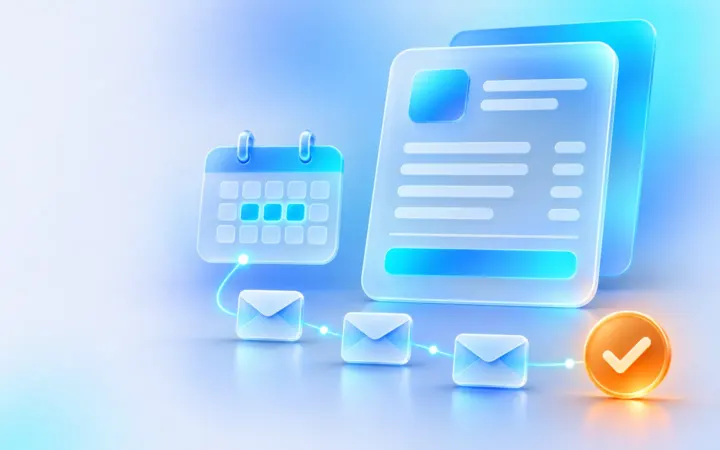
Proposed workflow. Each software feature it relies on was checked against the vendor’s own documentation on November 19, 2026. We have not run this exact setup end to end, so test it with sample data before you rely on it.
How it works
- 1. TriggerInvoice sentWith a due date
- 2. ActionReminder before dueA friendly heads-up
- 3. ActionReminder after dueFirmer follow-ups
- 4. You checkPersonal follow-upYou call if still unpaid
Software you need
-
Stripe Invoicing (official site, opens in a new tab) Required
Sends invoices, takes payment and emails reminders on a schedule.
Estimated cost
You pay per paid invoice rather than a subscription, so this suits businesses with irregular invoicing. Card and bank payment fees from Stripe Payments come on top.
| Software | Free plan | Paid plans from | What this workflow needs |
|---|---|---|---|
| Stripe Invoicing | No monthly fee | Starter 0.4% per paid invoice (Plus 0.5%), plus Stripe’s payment fees Pricing page for Stripe Invoicing (opens in a new tab) | Starter, which includes automatic reminders |
Prices and plan limits from each vendor’s official pricing page, checked Nov 19, 2026. Vendors change prices; check the page before you buy.
Before you start
- A Stripe account set up to send invoices.
- Your payment terms, for example 14 days.
- The tone you want: a friendly first reminder, then firmer ones.
Step-by-step setup
1. Set clear due dates
When you create invoices for customers to pay themselves, set days until due or a due date. Reminders work from that date.
2. Switch on reminders for one-off invoices
In the Stripe Dashboard, open Settings, then Billing, then the Invoices tab, and turn on reminders for unpaid one-off invoices. A good starting schedule is 3 days before, on the due date, and 7 and 14 days after.
3. Do the same for recurring invoices
If you bill subscriptions, set the reminder schedule in the subscription and email settings under Billing.
4. Make the emails yours
Add your logo, a short friendly note and your contact details to the invoice email settings so reminders do not feel like spam.
5. Decide your personal follow-up point
Automation handles the routine nudges. Put a weekly 10-minute check in your calendar to call anyone who is more than 14 days overdue.
Test it before you rely on it
- Use Stripe’s test mode to send an invoice to your own email with a due date a day away.
- Check the reminder emails arrive on the schedule you set and read well on a phone.
- Pay a test invoice and confirm no further reminders are sent.
Troubleshooting
- No reminders are sent. Check the invoice was sent for the customer to pay (not charged automatically) and has a due date.
- A customer got a reminder after paying. Stripe skips reminders while a payment is processing, but bank transfers can take days. Mention in the email to ignore it if already paid.
- Reminders go to the wrong person. Update the billing email on the customer record.
Security and privacy
- Never ask for card details by email. Customers pay through Stripe’s hosted invoice page.
- Limit who in your team can see payments in Stripe with user roles.
- Keep reminder wording factual and polite; local debt-collection rules may apply to later stages.
Frequently asked questions
Can I do this in QuickBooks or Xero instead?
Most accounting tools offer invoice reminders. We checked Stripe’s documentation for this workflow; check your own tool’s help pages for the equivalent setting.
What happens after the last reminder?
Stripe lets you leave the invoice past due, or mark it uncollectible after 30, 60 or 90 days. Decide your own policy for a personal call first.
Does this cost extra?
Reminders are included in Stripe Invoicing Starter, which is charged per paid invoice.
What we verified
These are the software features this workflow depends on, each checked on the vendor’s own help or pricing page. Everything else on this page, including how the steps fit together, is our proposal.
-
For one-off invoices, Stripe can schedule reminders before, on or after the due date (Settings, Billing, Invoices).
Stripe docs: automatic collection (opens in a new tab) · checked Nov 19, 2026 -
For recurring invoices, Stripe can send reminders before, when or after the invoice is due.
Stripe docs: send invoice emails (opens in a new tab) · checked Nov 19, 2026 -
Stripe skips a reminder if the invoice already has a payment being processed.
Stripe docs: automatic collection (opens in a new tab) · checked Nov 19, 2026 -
Invoices sent for manual payment need a due date (days until due or a date).
Stripe docs: send invoice emails (opens in a new tab) · checked Nov 19, 2026 -
Stripe Invoicing has no fixed monthly fee: Starter is 0.4% per paid invoice and includes automatic email reminders; Stripe payment fees apply on top.
Stripe Invoicing pricing (opens in a new tab) · checked Nov 19, 2026
Workflow last updated . How we review